- Página de inicio /
- Software /
- Business & Office /
- Document Management /
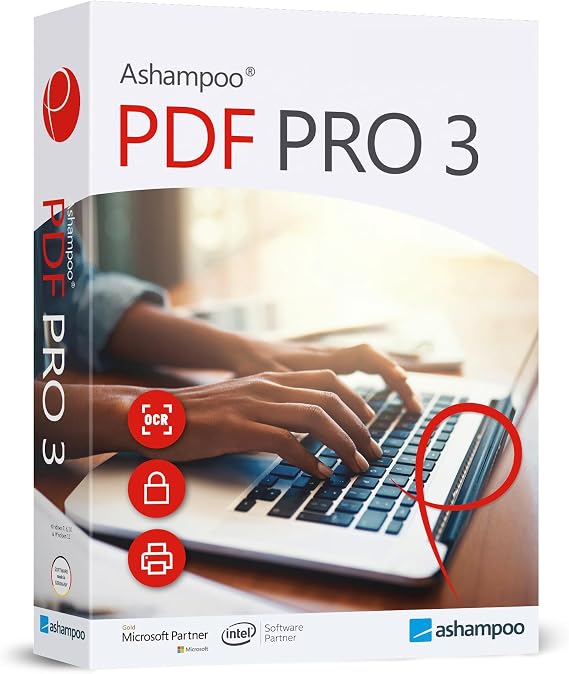
- PDF Pro 3 - PDF editor to create, edit and convert PDFs...
0 ratings


Nº de artículo:
47882628
PDF Pro 3 - PDF editor to create, edit and convert PDFs - 100% Compatible with Adobe Acrobat software for Windows 11, 10, 8.1, 7
81% of respondents would recommend this to a friend
Nº de artículo:
47882628
USD 42
Price Details
Excluding Shipping & Custom charges ( Shipping and custom charges will be calculated on checkout )
*All items will import from Estados Unidos
0 ratings
Escribe una opinión
En stock
 Importado de la tienda USA
QTY:
Haz tu pedido ahora y recíbelo por ahí Martes, Octubre 06
Secured transaction
Ubuy works hard to protect your security and privacy. Our advanced payment security system ensures confidentiality by encrypting your information during transmission using AES (Advanced Encryption Standards) and SSL (Secure Socket Layer) protocols. Your payment details are 100% secure as we do not share your payment details with third party sellers.
Our Top Logistics Partners


PDF Pro 3 - PDF editor with OCR engine that can recognize the text of scanned documents and 100% compatible with Adobe Acrobat

Fast
Shipping

Free
Return*

Secure Packaging

100% Original Products

PCI DSS Compliance

ISO 27001 Certified




What Stands Out
Adobe Compatibility
Fully compatible with Adobe Acrobat, ensuring seamless file sharing and editing without format loss, making it an excellent choice for professional environments requiring PDF precision.
Comprehensive Editing Tools
Offers extensive editing capabilities, allowing users to create, modify, and convert PDFs effortlessly, which resolves common frustrations faced with limited or complex PDF software.
User-Friendly Interface
Designed with an intuitive interface that simplifies navigation and enhances productivity, enabling both novice and advanced users to efficiently manage their PDF tasks.
Detalles de producto
- Compatible with Windows 11, 10, 8.1, 7 (32 and 64-bit)
- Enables reading, printing, commenting, highlighting, and text editing of PDF files
- Creates interactive forms, compares PDFs, and creates snapshots
- Features OCR engine for scanned document text recognition
- Supports creation and editing of interactive forms, comparison of PDFs, and image editing
- Allows adding comments, highlighting, and document protection with strong AES encryption
| Package Dimensions | 7.48 x 5.31 x 0.59 inches (19 x 13.5 x 1.5 cm); 1.13 ounces (32.04 grams) |
| Item model number | 81149 |
| Date First Available | February 26, 2022 |
| Manufacturer | Markt + Technik |
Who Should Buy?

-
Business Professionals
Ideal for professionals needing efficient PDF editing and conversion for reports, contracts, and presentations.
-
Students and Educators
Useful for students requiring tools to annotate, edit, and convert academic resources and assignments.
-
Freelancers
Perfect for freelancers working with clients, allowing easy modifications and sharing of project documents.

-
Casual Users
Not advisable for occasional users who may find the software overly complex for simple tasks.
DESCRIPCIÓN DEL PRODUCTO
PDF Pro 3 - PDF editor to create, edit and convert PDFs - 100% Compatible with Adobe Acrobat software for Windows 11, 10, 8.1, 7
¿Tienes alguna consulta? Chatea con nosotros
Preguntas y respuestas de los clientes
-
Pregunta:
What features does PDF Pro 3 offer for editing PDFs?
Respuesta: PDF Pro 3 offers a robust set of features for editing PDFs, including text editing, image insertion, and page management. Users can easily modify text size and font, add or remove images, and rearrange pages within a document. This allows for a high degree of customization and flexibility when working on PDF files. For instance, if you're preparing a report and need to update statistics or add charts, PDF Pro 3 provides the tools to do so seamlessly, ensuring your document is always current. -
Pregunta:
Can I create PDFs from scratch with PDF Pro 3?
Respuesta: Yes, PDF Pro 3 enables users to create PDFs from various file formats, including Word, Excel, and PowerPoint. The software's intuitive interface means you can start from a blank page or convert existing documents into PDFs effortlessly. This is particularly useful for professionals who often need to generate reports or proposals. By using PDF Pro 3, you can maintain consistency in formatting and presentation, ensuring your documents look polished from the very start. -
Pregunta:
Is PDF Pro 3 compatible with other PDF software?
Respuesta: PDF Pro 3 is 100% compatible with Adobe Acrobat, ensuring that documents can be shared and edited across different platforms without compatibility issues. This is crucial for businesses and teams that collaborate using various software solutions. If your colleagues are using Adobe Acrobat, you can edit and share the same files through PDF Pro 3 without losing any formatting or functionality, streamlining your collaborative efforts. -
Pregunta:
How does PDF Pro 3 handle document conversion?
Respuesta: PDF Pro 3 features advanced document conversion capabilities, allowing users to convert PDFs back into Word, Excel, or image formats with high fidelity. This ensures that the original layout, images, and text are preserved during the conversion process. It's particularly advantageous when needing to extract data from PDFs for further manipulation or analysis. For example, converting an invoice PDF back to Word can help in modifying billing information quickly. -
Pregunta:
Can I annotate and comment on PDFs using PDF Pro 3?
Respuesta: Absolutely! PDF Pro 3 comes equipped with comprehensive annotation tools that let users add comments, highlight text, and draw shapes. These capabilities are especially beneficial in collaborative projects, allowing teams to provide feedback directly on the documents. For instance, if you’re reviewing a manuscript, you can add notes next to specific sections, making it easier for authors to understand the revisions needed. -
Pregunta:
Is there support for form filling in PDF Pro 3?
Respuesta: Yes, PDF Pro 3 supports interactive form filling, enabling users to fill out PDF forms easily and efficiently. This feature is essential for individuals and businesses that need to complete applications, surveys, or official documents quickly. Users can click on form fields, enter their information, and save their progress without hassle, streamlining processes that typically consume more time. -
Pregunta:
What operating systems is PDF Pro 3 compatible with?
Respuesta: PDF Pro 3 is compatible with Windows operating systems, including Windows 11, 10, 8.1, and 7. This wide compatibility ensures that a majority of users can utilize the software without needing to upgrade their systems. Organizations that still operate on older versions can still leverage its features without facing technical hurdles, making it a versatile choice for various work environments. -
Pregunta:
How can PDF Pro 3 help in securing documents?
Respuesta: PDF Pro 3 allows users to add passwords and permissions to secure PDF documents, ensuring sensitive information remains protected. This feature is vital for businesses handling confidential client data or internal files. For example, you can create a protected PDF for official contracts, ensuring that only authorized individuals can view or edit the document, thus enhancing your document security protocols. -
Pregunta:
Can I merge multiple PDFs using PDF Pro 3?
Respuesta: Yes, PDF Pro 3 enables users to merge multiple PDF documents into a single file effortlessly. This feature is useful when consolidating reports, presentations, or any documents that need to be grouped together for a coherent presentation or submission. For instance, if you have several project reports in PDF format, you can merge them into one comprehensive document, making it easier to share and review. -
Pregunta:
Where can I buy PDF Pro 3 in Ecuador?
Respuesta: You can purchase PDF Pro 3 from Ubuy, an online platform that offers a convenient way to acquire this powerful PDF editing software. Ubuy provides a trustworthy shopping experience, ensuring that you receive the legitimate product with full features. Visit the Ubuy website to explore the options and start enhancing your PDF editing capabilities with PDF Pro 3.
Markt + Technik Document Management 81149 Editorial Review
PDF Pro 3 is a standalone PDF editing software compatible with Windows 11, 10, 8.1, and 7. It offers a wide range of functions, such as creating, editing, and converting PDF files. Users can join, extract, and reorder pages, add or remove headers, optimize the file size, and insert signatures or texts. The software is also built with a search function, allowing users to quickly find a specific text in their PDF document. Customers can choose either a CD or download link option. While some customers had issues with the activation process or found the software challenging to use, others reported positive experiences, especially with joining multiple PDF files, OCR, and editing functions. The GUI is described by some as being intuitive and well laid out. The software license is a lifetime three-user one and is compatible with Adobe Acrobat.
Customer Reviews & Ratings
1 valoraciones de los clientes
-
5 estrella
100%
-
4 estrella
0%
-
3 estrella
0%
-
2 estrella
0%
-
1 estrella
0%
Revisar este producto
Comparte tus ideas con otros clientes
ventajas
- Lifetime three-user license
- A wide range of editing functions, including joining and extracting multiple PDF files, adding or removing headers, inserting signatures or texts, and file optimization.
- The software is standalone and compatible with Adobe Acrobat.
- The GUI is intuitive and well laid out.
Contras
- Some customers found the software challenging to use and not user-friendly.
Platform Trust & Buyer Confidence

JK
Jasmin
Verified buyer
“Great products and very good service: very easy and very fast international delivery.”
9 September 2026 · via Trustpilot
AG
Anke
Verified buyer
“Wonderful online shopping experience, smooth transaction from the start. Payment method works conveniently and delivery is unexpectedly fast and reliable. You go the extra mile for service. What makes this even more amazing, you deliver to Namibia. I will remain a happy Ubuy customer and will increase my purchases for sure! Thank you!”
10 September 2026 · via Trustpilot
H
Hazel
Verified buyer
“Very easy to find the products what you need, and so fast delivery, that’s why I highly recommended to others costumers to used ubuy.”
10 September 2026 · via Trustpilot
O
Opaleye
Verified buyer
“I received exactly what I ordered I was skeptical about your site because that was my first time to order. But the order came timely and neatly packaged. I was not disappointed. Thank you.”
11 September 2026 · via Trustpilot
AC
Adele
Verified buyer
“Easy to find and order what you want on the website. Delivery is quick to the UK”
8 September 2026 · via Trustpilot
Pago seguro
Global Delivery
Easy Returns
Genuine Products
Product Price History
Información importante
- Limitaciones: Para los productos enviados al extranjero, ten en cuenta que cualquier garantía del fabricante puede no ser válida; las opciones de servicio del fabricante pueden no estar disponibles; los manuales del producto, las instrucciones y las advertencias de seguridad pueden no estar en los idiomas del país de destino; los productos (y los materiales que los acompañan) pueden no estar diseñados de acuerdo con las normas, especificaciones y requisitos de etiquetado del país de destino; y los productos pueden no ajustarse al voltaje del país de destino y a otras normas eléctricas (lo que requiere el uso de un adaptador o convertidor, si procede). El destinatario es responsable de asegurarse de que el producto puede ser importado legalmente al país de destino. Cuando hagas un pedido a Ubuy o a sus filiales, el destinatario es el importador registrado y debe cumplir todas las leyes y normativas del país de destino.
- No todos los productos que aparecen en Ubuy están a la venta, ya que Ubuy es un motor de búsqueda a nivel mundial. Los productos están sujetos a las normas de exportación/comercio.
USD 42
Haz tu pedido ahora y recíbelo por ahí Martes, Octubre 06
This item is not restrict in my country.(Please click on above link if this item is not restrict in your country, So our team will review and allow.)
QTY:
Secured transaction
PCI DSS compliant and ISO 27001:2022 certified, with encrypted payments and full buyer protection on every order.
Our Top Logistics Partners
Fastest cross-border delivery
características y beneficios
- Create, edit and convert PDFs easily
- Edit text, create interactive forms, create snapshots
- Compatible with all PDF tools
- Use on up to 3 PCs
Ubuy Assurance
Experience worry-free shopping with 100% original products, PCI DSS-compliant payment security, ISO 27001-certified data protection, the fastest cross-border delivery, free returns *, and secure packaging on every order.